Pet Care on the Wrist
Building a watchOS design concept for smart pet devices.
TIMELINE
3 Day Sprint
INDUSTRY
PetTech/IoT
TEAM
Just me!
ROLE
Product Designer
TOOLS
Figma
OVERVIEW
Smart pet devices have become common — yet not a single major smart pet app has an Apple Watch companion. I set out to explore said missing watchOS experience.
PROBLEM SPACE
The Missing Reassurance System
Smart pet devices have transformed how owners care for their pets remotely. Automatic feeders, smart water fountains, GPS collars, and connected cameras are now mainstream — yet despite millions of active users, not a single major smart pet app has an Apple Watch companion extension.
Research revealed that the absence is not due to lack of user need, but a combination of structural barriers:
White-label platforms (Tuya, Smart Life) prioritize broad device compatibility over platform-specific extensions
Developers classify feeders as "set and forget" devices, underestimating owners' need for glanceable reassurance
Rich notifications are used as a shortcut, but they require the phone to be unlocked and don't provide contextual health data
"The most critical notifications — did my pet eat, is water running low — are broken or missing in existing apps." — User reviews across Petlibro, PETKIT, and SureFeed app stores
Through analysis of user reviews and support forums, the dominant pain point is not control — it's reassurance. Pet owners don't primarily want to dispense food from their wrist. They want to know, in a single glance:
Did my pet eat their last meal, or did they skip it?
Is my pet drinking enough water today?
Are my devices online and functioning?
DESIGN & PRODUCT STRATEGY
One Glance, Full Picture
The app surfaces three distinct data layers, each separated by context and informed by the latest Watch-native navigation modules.
Layer
Content
Device Status
Hardware health — feeder food level, fountain water level, collar battery. Household-level data, not pet-specific.
Pet Status
Individual pet health metrics — water intake ring, meal completion, activity. Per-pet data requiring profile switching.
Activity Log
Chronological event history across all pets and devices. Unified timeline for pattern recognition.
I made deliberate decisions about what not to include on the Watch:
Live camera streaming excluded — watchOS battery and processor constraints make this technically infeasible.
Complex scheduling excluded — belongs on iPhone, not Watch
Deep settings excluded — Watch is for consumption, not configuration
SOLUTION
Navigation Architecture
The information hierarchy maps directly to SwiftUI's navigation primitives for watchOS. Understanding the technical implementation informed design decisions and ensured the concept is buildable.
TabView: Primary Screen Navigation
NavigationStack: Device Detail Drill-down
NavigationSplitView: Pet Profile & Data Selection
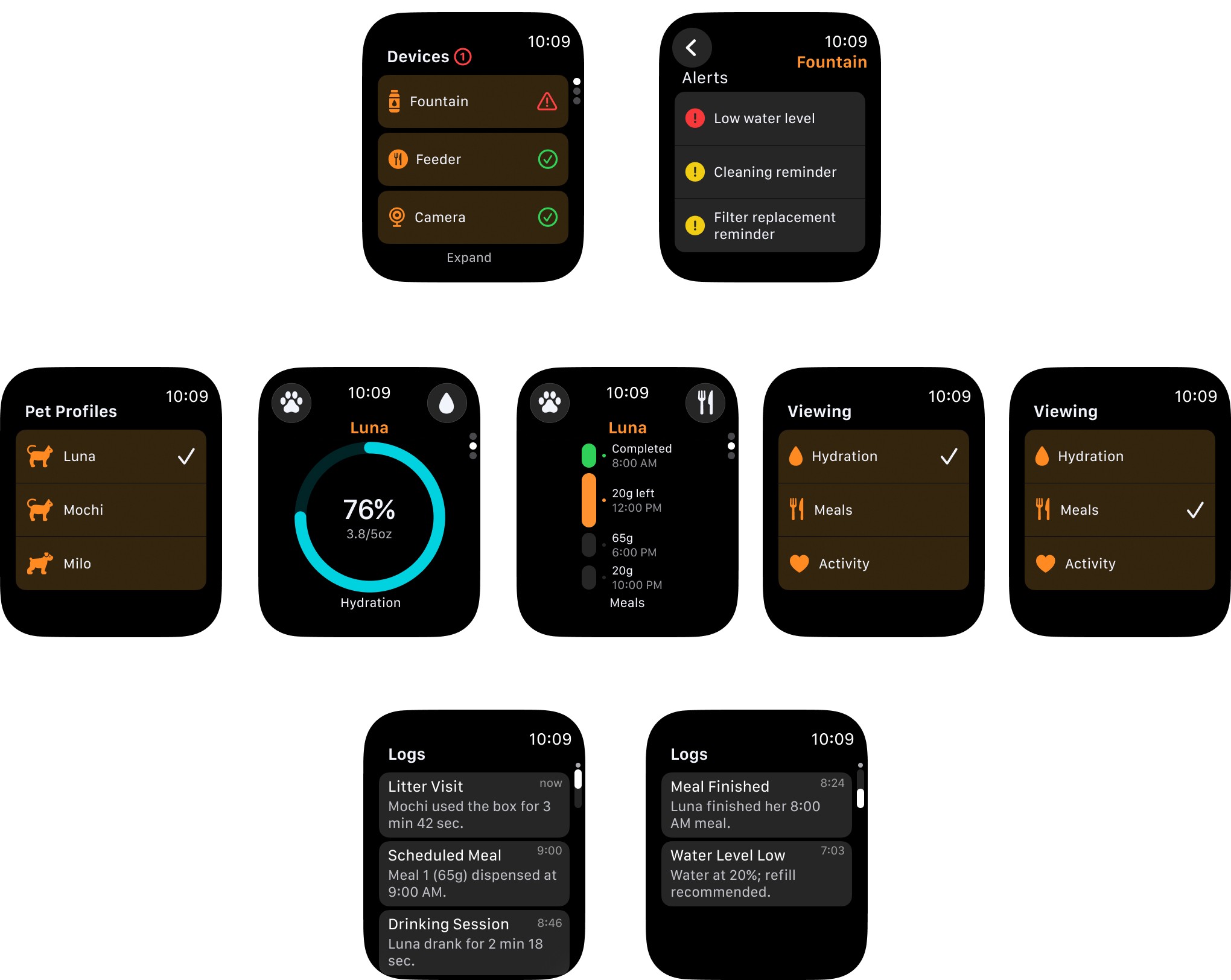
Static Screens
*Click to enlarge*
All screens were designed following Apple’s watchOS Human Interface Guidelines and built with the watchOS 11 UI kit, using foundation, infographic, and list layouts as the structural basis.
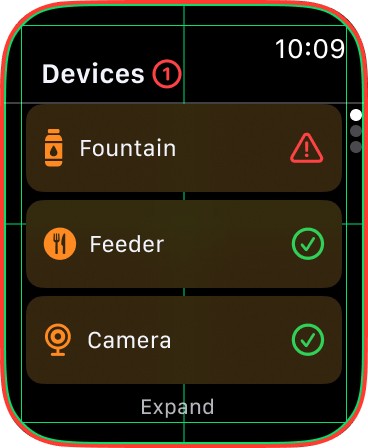
Foundation
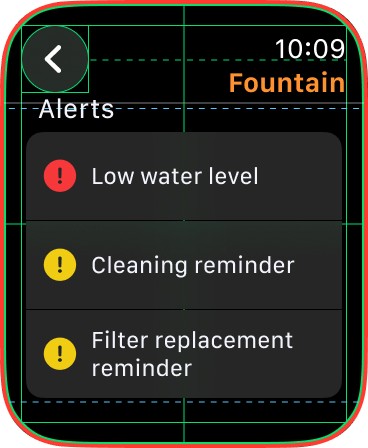
List
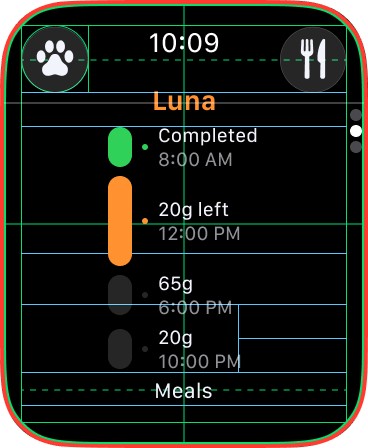
Infographic
Thanks for reading!